
Searching for Teen Patti King can bring up different websites, app pages and references with similar names. For someone who has never used an app with this name before, it is natural to have questions. Teen Patti King Is the app published by a recognizable developer? Where can its information be verified? What permissions does it request?
These are important questions because an app’s name alone does not tell you whether it is genuine, secure or suitable for your device.
Teen Patti King is a name associated with searches for three-card gaming applications. However, the name by itself does not establish which specific application or developer a search result refers to. Different websites can use similar names, and an unofficial page may not represent the original publisher.
At 3PattiTech, we believe that readers should have enough information to make sensible decisions before interacting with an unfamiliar application. This guide explains seven practical checks that can help you examine an app associated with the Teen Patti King name.
Rather than making unverified claims about its features, availability or reputation, we will focus on information that readers can independently verify.
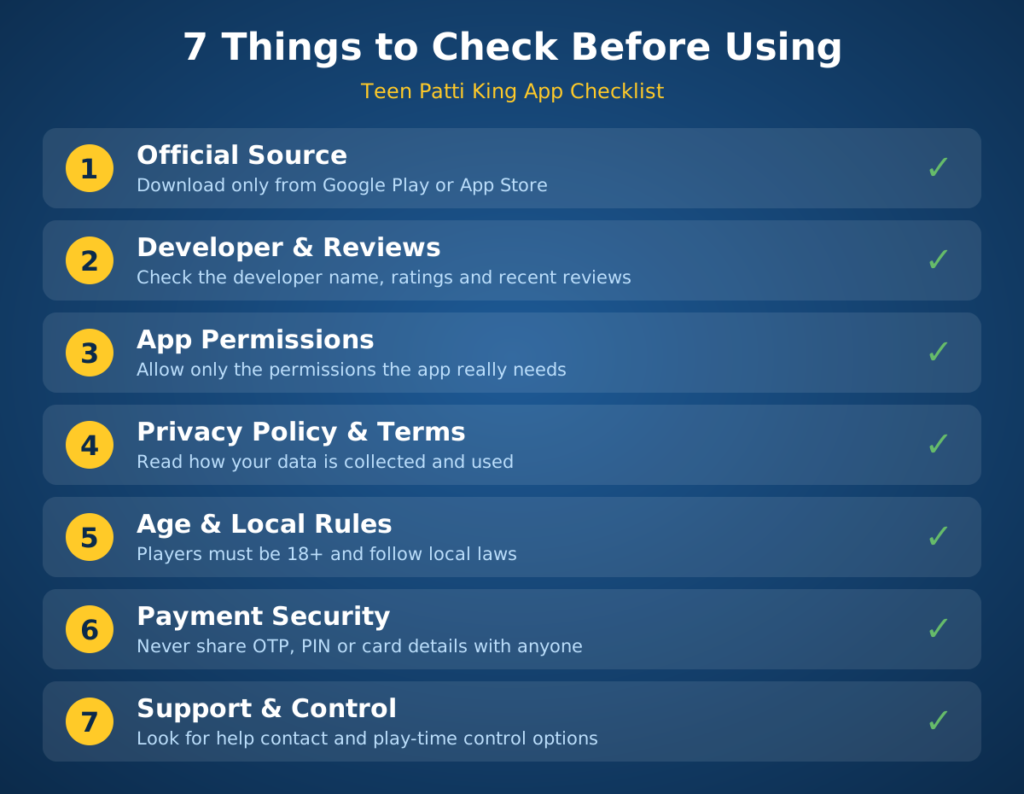
1. Confirm the App’s Official Identity
The first thing to check is the identity of the application.
Searching for Teen Patti King may produce several results. Some might be app listings, while others could be websites, promotional pages or unrelated products using similar words.
It is important not to assume that every result belongs to the same developer.
Start by looking for the following information:
- Complete application name.
- Developer or publisher name.
- Official website, if one is provided.
- Application package name on Android.
- Contact information.
- Privacy policy.
- Version and update information.
A recognizable name is not enough to establish authenticity. Two applications can have similar titles while being published by completely different developers.
Why Does the Developer Name Matter?
The developer is the organization or individual responsible for publishing an application.
A transparent publisher should provide information that helps users understand who operates the product and how to contact them.
If a page displays a name but provides no meaningful publisher information, treat that as an unanswered question rather than assuming the application is genuine.
You should also be careful with websites that use familiar logos or similar designs to create the impression that they represent an official service.
Check the Package Name
Android applications have package identifiers that distinguish one app from another.
For example, a package identifier normally follows a structure similar to:
com.example.application
The package name can be useful when comparing an application listing with information provided by its developer.
Do not rely only on the display name because it can be changed or copied more easily than a complete application identity.
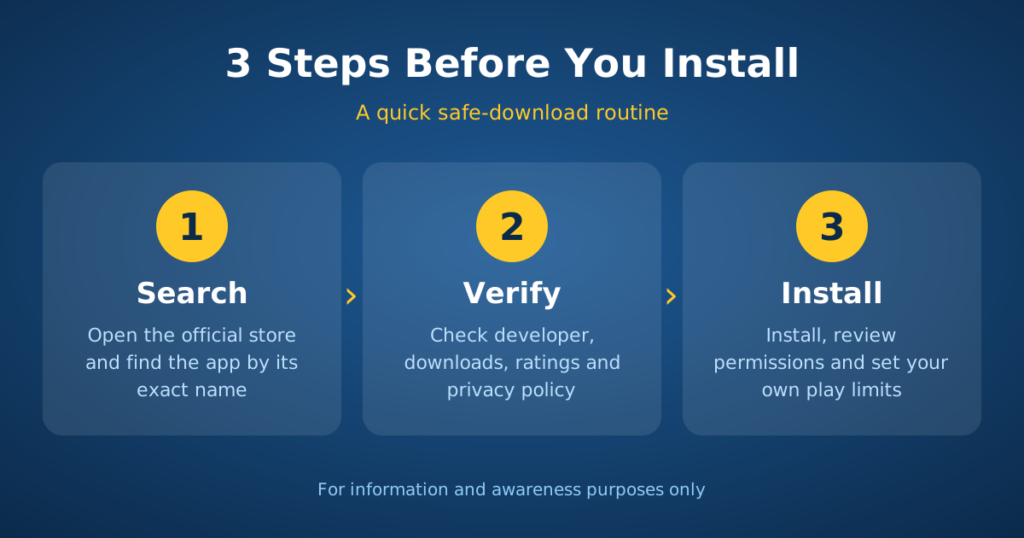
2. Check Whether the App Has a Verifiable Official Source
The next step is to identify where the application is actually distributed.
If an application has a Google Play listing, open the listing directly and examine its details rather than relying on a screenshot or advertisement.
Look for:
- Developer information.
- App description.
- Last updated date.
- Available version information.
- Privacy policy.
- Data safety details.
- Contact information.
Google Play provides a Data safety section where developers describe how an application collects, shares and handles user information.
This section can help readers understand the publisher’s declared data practices.
However, remember that the information is supplied by the developer. It should be treated as an important disclosure, Teen Patti King not as an independent guarantee that every practice has been verified.
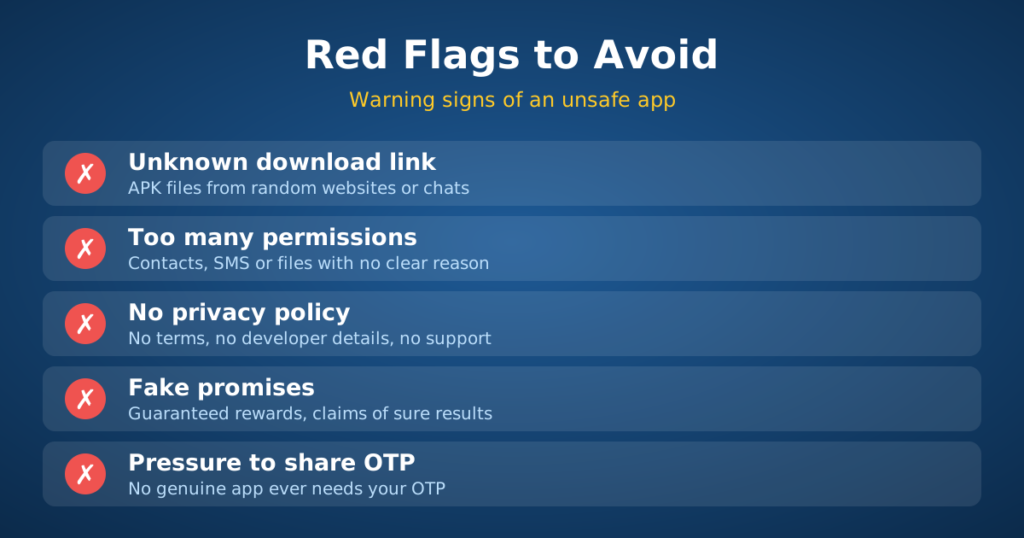
What If You Find an APK Website Instead?
Some applications are distributed through APK websites rather than Google Play.
Finding a file with an APK extension does not automatically establish that it is safe.
Before trusting an unfamiliar download page, examine the publisher identity, file information, source reputation and security warnings.
A website that provides no publisher details, no version history and no meaningful contact information deserves additional scrutiny.
It is better to pause than to install a file simply because its name matches a search query.
3. Review App Permissions Before Granting Access
Permissions determine which parts of an Android device an application can access.
Depending on its purpose, an application may request permission to use certain device features or information.
For example, a legitimate application might need access to a feature that is directly related to something the user wants to do.
The important question is whether the requested permission has a reasonable explanation.
Common Android Permissions
Here are some examples:
Camera: Allows an application to use the device camera when permission is granted.
Microphone: Allows access to audio recording features.
Location: Provides access to the device’s location, depending on the permission granted.
Contacts: Allows an application to access contact information.
Photos and Videos: May allow access to selected media or broader media libraries, depending on the Android version and permission.
Notifications: Allows the application to send notifications when permitted.
Not every application needs every permission.
For an unfamiliar card-game application, a request for access to unrelated personal information should be examined carefully.
How to Review Permissions on Android
You can check an application’s permissions without needing special software.
- Open your Android Settings.
- Select Apps.
- Find the application you want to examine.
- Open its Permissions section.
- Review the permissions that have been granted.
- Remove permissions that are unnecessary, where possible.
The exact menu names may vary between Android manufacturers.
Remember that refusing a permission may affect a feature that genuinely needs it. The goal is not to deny every permission automatically, Teen Patti King but to understand why access is being requested.
4. Understand the Privacy Policy
An application’s privacy policy explains how its operator handles personal information.
This is especially important when an application offers registration, user profiles or online services.
Before providing personal details, look for a privacy policy that clearly explains:
- What information is collected.
- Why information is collected.
- Whether information is shared with other companies.
- How information is stored.
- How long information is retained.
- Whether users can request deletion.
- How users can contact the operator.
A privacy policy should be understandable and relevant to the application.
Watch for Vague Privacy Statements
Some websites provide a privacy policy that says very little about actual data practices.
For example, a statement that personal information may be used to improve services does not explain everything a reader may want to know.
Readers should look for meaningful explanations rather than assuming that a page titled Privacy Policy makes an application trustworthy.
Never Share Sensitive Information Without a Clear Reason
Be cautious if an unfamiliar application or website requests sensitive information without explaining why it is necessary.
Avoid sharing passwords, account recovery details, Teen Patti King banking credentials or verification codes with people claiming to represent an application.
A genuine support process should not require you to disclose your password or one-time authentication code.
5. Examine App Updates and Maintenance Information
An application’s update history can provide useful context.
Regular updates may indicate that a developer is maintaining the product, fixing problems or adapting it to newer devices.
However, an update date alone cannot prove that an application is safe.
When checking an application associated with Teen Patti King, look for:
- The latest published version.
- Date of the most recent update.
- Description of changes.
- Developer information.
- Compatibility information.
- Whether the same publisher maintains related products.
Why Are Updates Important?
Android devices receive changes to operating systems and security components over time.
Applications may need updates to remain compatible with newer versions of Android.
Updates can also address technical issues and security vulnerabilities.
If an application has no clear version 3Patti Gold information or its publisher provides no explanation of updates, Teen Patti King this is something worth considering before using it.
Avoid downloading replacement files from random websites just because they claim to offer a newer version.
Always try to establish the official source first.
6. Understand the Difference Between Virtual Play and Real-Money Features
Teen Patti applications can differ considerably in how they operate.
Some versions may provide entertainment through virtual game points, while others may involve deposits, Teen Patti King cash prizes or financial transactions.
These are not interchangeable activities.
A game using virtual points does not necessarily involve the same financial risks as a product involving real money.
Similarly, a virtual balance should not be treated as actual income or a guaranteed redeemable amount.
Read the Terms Before Using Any Financial Feature
If an application mentions deposits, withdrawals, cash prizes or redeemable balances, read its terms carefully.
Pay attention to:
- Whether real money is involved.
- Whether deposits are required.
- Whether withdrawals are available.
- Whether additional conditions apply.
- Whether the service is legally permitted in your location.
- Whether there are age restrictions.
Never rely on promotional messages that suggest guaranteed profits or effortless earnings.
Card games involve uncertainty. No card combination, playing method or application can guarantee a financial result.
Be Careful with Financial Promises
Claims such as guaranteed income, risk-free winnings or instant profits should be treated with skepticism.
If an application or website asks you to transfer money before providing unclear benefits, stop and investigate the service independently.
For a safer learning experience, readers can study traditional card combinations without participating in monetary betting.
7. Check Your Device’s Security Before Trusting an App
The final check concerns your Android device itself.
Even if a website looks professional, that does not mean every file it offers is safe.
Android includes built-in security features that can help users identify potentially harmful applications.
One important feature is Google Play Protect.
According to Google, Play Protect checks applications during installation and periodically scans the device for potentially harmful software.
It may warn users about applications that appear unsafe and can take action when harmful behavior is detected.
How to Run a Google Play Protect Scan
Follow these steps:
- Open the Google Play Store.
- Tap your profile icon.
- Select Play Protect.
- Open the available security options.
- Start a scan if one is not already running.
- Review any warnings shown on the screen.
Keep Play Protect enabled unless you have a specific, well-understood reason not to.
What If Android Shows a Security Warning?
Do not automatically ignore a warning just because a website describes the application as popular.
Read the warning carefully and understand what Android is reporting.
Avoid disabling security protections simply to install an unfamiliar file.
If the source cannot be verified, the safer decision is not to continue with the installation.
Teen Patti King App: A Practical Verification Checklist
Before interacting with an application using the Teen Patti King name, use this checklist.
| What to check | Why it matters |
|---|---|
| Developer identity | Helps establish who publishes the app |
| Official source | Reduces the risk of downloading an imitation |
| Package name | Helps distinguish applications |
| Privacy policy | Explains personal-data practices |
| App permissions | Shows what device access is requested |
| Update history | Provides maintenance information |
| Data safety details | Helps understand declared data practices |
| Play Protect | Adds an Android security check |
| Financial terms | Clarifies whether money is involved |
| Support information | Helps identify a contact route |
You do not need to complete every check in a few seconds. Take time to investigate any detail that is missing or unclear.
Table of Contents
Common Questions About Teen Patti King
1. What Is Teen Patti King?
Teen Patti King is a name people may encounter when searching for three-card gaming applications. The name alone does not identify a particular developer or establish the authenticity of a specific application.
Check the exact listing, publisher and package identifier before making assumptions.
2. Is Teen Patti King an Official Android Application?
That cannot be established from the name alone. Look for a verifiable app listing, publisher information and an official source. Similar names can be used by unrelated applications.
3. Is It Safe to Install Teen Patti King?
Safety cannot be guaranteed without examining the exact application and its source. Check its permissions, privacy policy, developer details and security warnings before considering installation.
4. How Can I Check Whether an APK Is Genuine?
Start with the original publisher and official distribution source. Compare the package name and version information. Keep Google Play Protect enabled and do not treat a familiar icon or filename as proof of authenticity.
5. Why Should I Check App Permissions?
Permissions determine what information and device features an application can access. Reviewing them helps you identify requests that do not appear relevant to the app’s stated purpose.
6. Does Google Play Protect Guarantee That an App Is Safe?
No security feature can guarantee that every application is completely safe. Play Protect is an additional protection layer that can detect and warn about potentially harmful applications.
7. Should I Trust Every Website Offering Teen Patti King?
No. Websites may use similar names, logos or promotional descriptions. Verify the publisher and source instead of trusting a page based only on its appearance.
8. Can Teen Patti Applications Involve Real Money?
Some card-game services may involve monetary transactions, while others use virtual points. Check the actual terms and conditions rather than assuming every application operates in the same way.
9. What Should I Do If an App Requests Unnecessary Permissions?
Avoid granting permissions that do not have a clear purpose. Review the app’s settings and privacy information. If the request remains unexplained, consider not using the application.
10. Where Can I Learn About Traditional Teen Patti Rules?
You can start with our educational guides on card rankings, hand combinations and traditional gameplay at 3PattiTech.
Final Thoughts
Searching for Teen Patti King is easy, but identifying the exact application behind a search result requires more attention.
A familiar name, attractive icon or professional-looking website should never replace proper verification.
Before using an unfamiliar app, examine its publisher, official source, privacy policy, permissions, update information and security status. If financial features are involved, understand their terms and the risks before making any decision.
The most useful habit is simple: verify first, understand what you are agreeing to, and never share sensitive information without a clear reason.
At 3PattiTech, our goal is to help readers understand Teen Patti-related applications and traditional card-game topics through independent, educational and clearly explained information.